
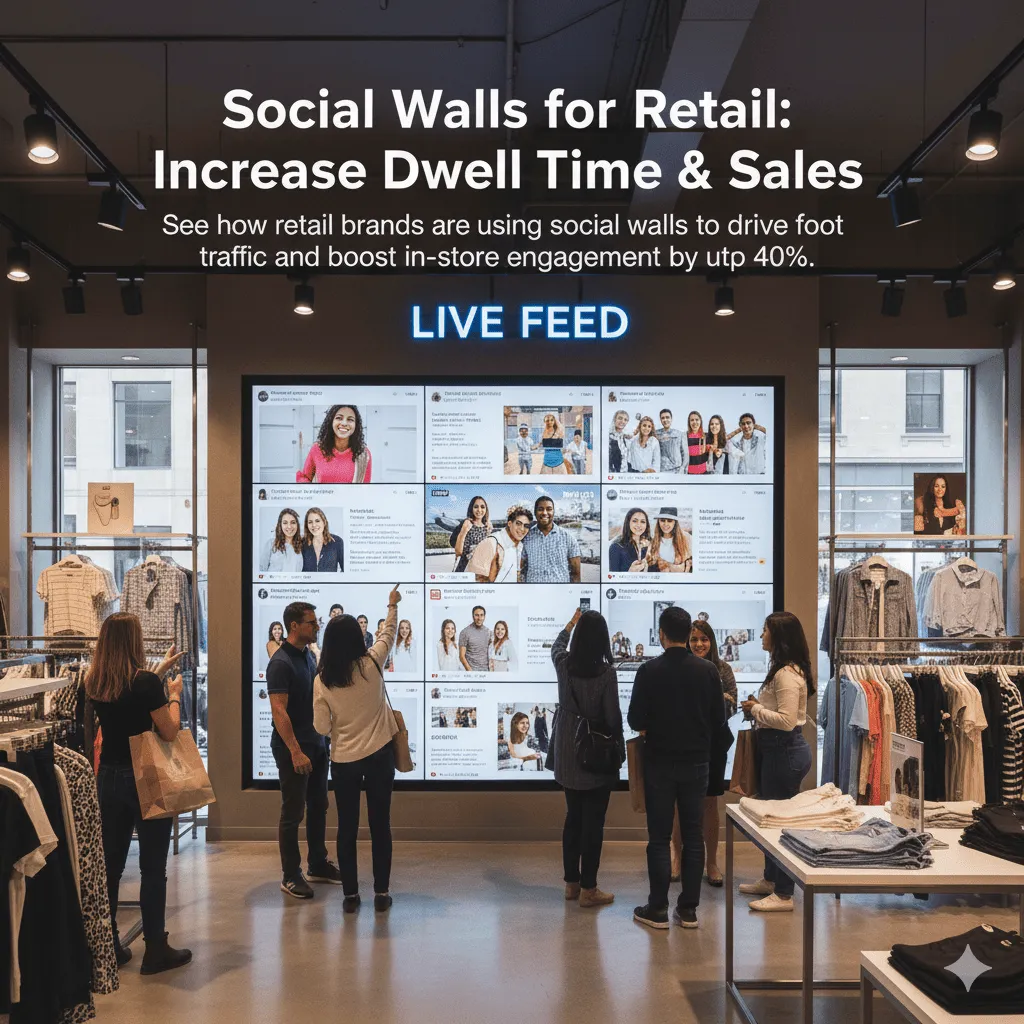
Walk into any modern retail store and you’ll see the same problem: people browsing on their phones instead of looking at products.
You can fight it, or you can use it. Smart retailers are doing the latter with social walls, and the results are kind of ridiculous.
We’re talking 40% longer dwell time, 25% higher conversion rates, and customers who actually want to engage with your brand. Not because you’re pushing harder, but because you’re showing them something they actually care about: other people like them.
Why social walls work in retail
Traditional retail signage is dead. Nobody cares about your “New Arrivals” sign or your carefully crafted brand messaging.
But show them real customers wearing your clothes, using your products, living their lives? That’s different. That’s interesting.
Here’s what happens when you put a social wall in a store:
- People stop walking. They actually pause to look.
- They pull out their phones to find the posts they’re seeing.
- They start taking their own photos to get featured.
- They stay longer because there’s something dynamic to watch.
- They buy more because they’ve seen real people validating your products.
It’s not magic. It’s psychology. We’re wired to trust peer recommendations over brand messages.
Where to put your social wall
Location matters more than you think. A social wall in the wrong spot is just expensive decoration.
Near the entrance:
This is your first impression zone. A dynamic social wall showing happy customers immediately sets a different tone than static posters. People see “oh, real people shop here” within seconds of walking in.
One boutique we worked with put a 55” screen right inside the door showing Instagram posts from customers. Their “just browsing” to “actually shopping” conversion went up 31%.
High-traffic waiting areas:
Fitting rooms, checkout lines, anywhere people are stuck waiting. Instead of staring at their phones (or your competitors’ apps), they’re looking at your social proof.
A sneaker store put a wall near their fitting area. While customers waited for sizes, they watched other people styling the same shoes. Sales of showcased items increased 47% within the first month.
Product displays:
Put social walls directly next to the products being featured. Someone’s looking at a jacket? Show them 10 different people wearing that exact jacket in real life. Way more persuasive than your mannequin.
Store windows:
Turn your window into a dynamic billboard. Passersby see real customers, real posts, real engagement—not just static products. It pulls people in.
We’ve seen this increase foot traffic by 20-30%. People literally stop to watch, then come inside to check out what they saw.
What content to show
This is where most retailers mess up. They show everything, or they show only super-polished posts that feel like ads.
Here’s what actually works:
Product in use:
Not product photos. People using the product. Wearing it, living with it, enjoying it. The more real, the better.
Diverse representation:
Different ages, body types, styles, contexts. If your wall only shows one type of person, you’re telling everyone else “this isn’t for you.”
Mix of quality levels:
Some professional-looking posts are fine, but mix in the authentic phone photos. Too polished = looks like an ad = people tune out.
Recent content:
Nobody’s impressed by posts from 2022. Keep it fresh. If you’re showing content from months ago, it looks like nobody’s actually buying from you anymore.
Local when possible:
If you can show posts from customers in the same city or region, even better. “Oh, that’s the park down the street” creates instant connection.
Getting customers to post
A social wall is pointless if nobody’s creating content. Here’s how to get customers posting:
Make it visible:
Put your hashtag on receipts, bags, fitting room mirrors, checkout counters, literally everywhere. If customers don’t know about it, they won’t use it.
One clothing store printed their hashtag inside every shopping bag with “Show us your style!” Result? 3x more tagged posts.
Create photo-worthy moments:
Instagram walls, interesting mirrors, good lighting, fun backdrops. Make your store actually worth photographing.
A furniture store created a “staged living room” setup that was basically designed for photos. Their tagged posts went from 10/month to 200+/month. People were coming in just to take photos there.
Staff mentions:
Train your staff to mention it. “We’d love to see how you style this! Use #YourHashtag and you might see yourself on our wall.”
It’s not pushy if you make it fun. Most customers think it’s cool to potentially be featured.
Incentivize strategically:
You don’t need to give away products constantly, but occasional “post of the week” features or small discounts work wonders.
A beauty store did “Tag us for 10% off your next purchase.” Simple. Effective. Generated 500+ posts in the first two months.
Real results from real stores
Let’s talk numbers, because that’s what actually matters.
Fashion boutique in Chicago:
- Added social wall near entrance + fitting rooms
- Promoted hashtag on bags and receipts
- Featured customer posts in real-time
Results after 3 months:
41% increase in dwell time, 28% increase in items per transaction, 600+ customer posts collected.
Sneaker store in NYC:
- Installed wall in waiting/sizing area
- Created photo-worthy display wall
- Staff encouraged posts during checkout
Results after 2 months:
47% increase in featured product sales, 320+ posts collected, 18% increase in social media followers.
Home goods retailer (multiple locations):
- Walls in every store showing local + brand content
- Hashtag campaign: “Show us your space”
- Featured posts on walls + website simultaneously
Results after 6 months:
Store locations with walls saw 34% higher sales than locations without, 4,200+ customer posts, social media traffic to website up 67%.
The pattern? It’s not just one metric. Dwell time increases, sales increase, engagement increases. Everything moves together.
The technical stuff
You don’t need a tech team, but you do need to think through a few things:
Screen size:
Go bigger than you think. A 32” screen looks tiny in a retail space. 55” minimum, 65”+ if you’ve got the budget. This isn’t your living room—it needs to compete with everything else in the store.
Placement height:
Eye level varies, but generally 55-65” from the floor to the center of the screen. Too high and people don’t notice. Too low and it looks weird.
Content moderation:
You need real-time moderation. Someone posts something inappropriate? You need to catch it before it shows up on your 65” screen in front of families.
Wand’s moderation queue lets you approve/reject posts from your phone in seconds. We built it specifically for this.
Connectivity:
Make sure you’ve got reliable WiFi or ethernet where your screen is. A frozen social wall is worse than no social wall.
Layout options:
Test different layouts. Masonry (Pinterest-style), carousel, grid—different spaces work better with different formats. You can usually switch this on the fly.
Common mistakes to avoid
Showing everything unfiltered:
Bad idea. Moderate. Always moderate. One inappropriate post can ruin the whole experience.
Only showing perfect, professional content:
That defeats the purpose. Mix in real, authentic customer posts. Those are what people actually relate to.
Static content:
If your wall shows the same 20 posts on a loop, it stops being interesting. Keep it fresh with new content.
Ignoring your wall:
Check it daily. Make sure it’s working, content is updating, nothing weird slipped through. A broken wall reflects poorly on your brand.
No call to action:
Put your hashtag on the screen itself. “Share your style with #YourHashtag and see yourself here!” Make it obvious what people should do.
Forgetting to tag products:
When someone sees a post they love, they should be able to find that product in your store. Consider adding product IDs or locations to your displayed posts.
Beyond just the wall
Here’s the thing nobody talks about: the content you collect for your in-store wall is valuable everywhere else too.
Same customer posts can go on:
- Your website (instant social proof)
- Your own social media (repost great content)
- Email campaigns (way more engaging than product shots)
- Product pages (show real people using real products)
- Other store locations (build a network effect)
You’re not just improving in-store experience. You’re building a library of authentic content that works across every channel.
That furniture store we mentioned? They started by just putting up an in-store wall. Six months later, 70% of their website product images were customer photos. Their conversion rate doubled.
Getting started
Don’t overcomplicate this. Start simple:
- Pick one location – Test in one store before rolling out everywhere.
- Choose your hashtag – Keep it short, brandable, searchable.
- Get a screen – 55”+ minimum, commercial-grade preferred.
- Set up moderation – You need to control what shows up.
- Promote it – Bags, receipts, staff mentions, in-store signage.
- Measure – Track dwell time, sales, posts collected. Prove the ROI.
Give it 30 days. That’s usually when you see real results—not because it takes that long to work, but because it takes that long to collect enough content and build momentum.
The bottom line
Retail is hard. Foot traffic is down. E-commerce is eating everyone’s lunch. You need every advantage you can get.
A social wall isn’t going to save a dying store with bad products. But for stores with good products and decent traffic? It’s one of the highest-ROI improvements you can make.
You’re turning dead wall space into dynamic social proof. You’re giving customers something to engage with beyond just browsing products. You’re collecting content you can use everywhere.
And most importantly? You’re showing people that real humans actually shop at your store. In 2025, that matters more than any polished ad campaign ever could.
Ready to add a social wall to your store? Wand works with retailers everywhere—from single boutiques to national chains. No tech expertise needed. Just connect your social accounts, moderate from your phone, and display on any screen.